
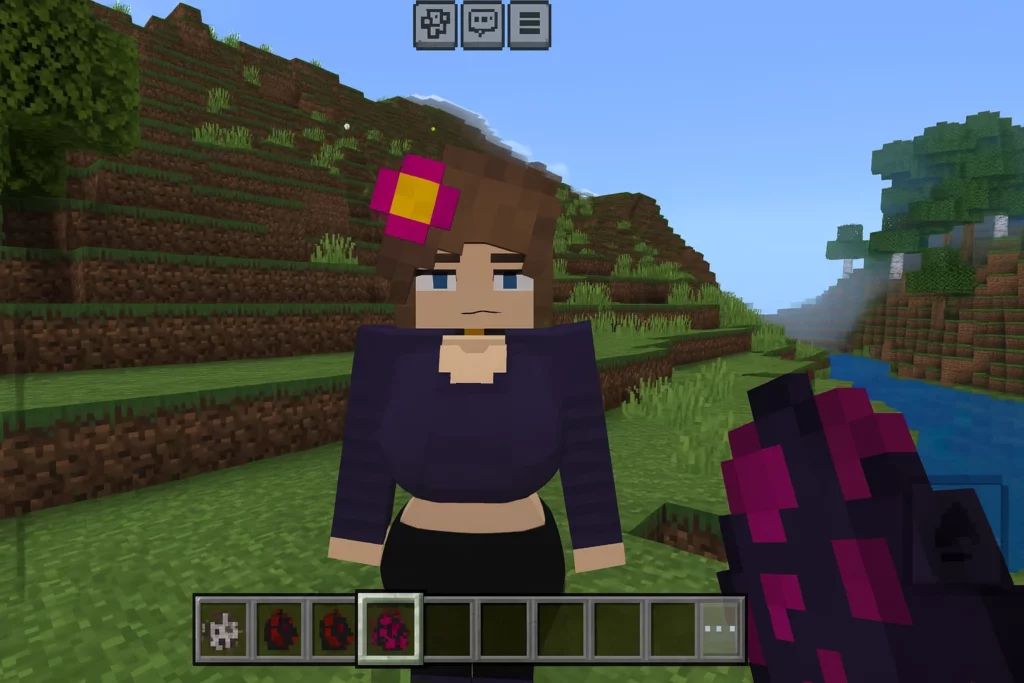
About Jenny Mod
Get to know Jenny Mod, a character-focused Minecraft modification. Explore the Java setup, understand Bedrock add-ons, and check compatibility before you play.
Jenny Mod is an unofficial Minecraft modification known for adding a custom character named Jenny and character-focused interactions. It changes the experience through NPCs and animations rather than focusing on building tools or technical automation. It is an adult-oriented mod, intended for adult players. This guide keeps its descriptions non-explicit.
The classic Java release is associated with Minecraft 1.12.2 and the Forge mod loader. That game version is a compatibility requirement, not the mod release number. A file described as a newer Jenny Mod release does not automatically work on newer Minecraft versions. Check the requirements of the actual archive before adding it to your game.
Java Edition and Bedrock Edition use different systems for custom content. A Java mod is normally packaged as a JAR file and loaded through a compatible mod loader. Bedrock uses resource packs and behavior packs, commonly delivered as MCPACK or MCADDON files. A community add-on using the Jenny name is a separate package; the name alone does not make it a port of the original Java mod.
Before installing, identify your Minecraft edition, game version and loader. Keep a separate game directory for an older modded profile so its settings and saves do not get mixed with a current Minecraft installation. Add only the dependencies listed for the exact release you choose, and avoid loading multiple copies of the same mod together.
If Minecraft does not start, check the crash report before replacing files at random. A mismatched game version, missing dependency or duplicate mod can prevent a profile from loading. Start with a clean profile, confirm the required loader works on its own, and then add the mod and its listed dependencies. Test in a new world before opening a save you want to keep.
Installation
- 01
Back up your saves and create a separate Minecraft game profile.
- 02
Confirm the game edition, Minecraft version and loader required by your chosen Jenny Mod release.
- 03
For a Java Forge release, install the matching Forge build and start that profile once.
- 04
Place the JAR file in the mods folder of that profile. Add only the dependencies specified for that release.
- 05
Launch the matching profile and test in a new world. Bedrock add-ons use a separate pack-import process.
Hosted releases
Version 1.1.0
Minecraft 1.12.2 · Forge · 43.7 MB · 11/12/2026
Archive metadata identifies Fapcraft 1.1.0. Credits: Trolmastercard and Anonymous dev team. Use one Java archive per Forge profile.
Version 1.0.0
Minecraft 1.12.2 · Forge · 42.3 MB · 11/12/2026
Archive metadata identifies Fapcraft 1.0.0. Credits: Trolmastercard and Anonymous dev team. Use one Java archive per Forge profile.
Version 1.0.0
Minecraft Bedrock (minimum engine 1.13.0) · Bedrock resource pack · 9.2 MB · 11/12/2026
Install and activate both the matching behavior and resource packs. Their manifests declare minimum engine 1.13.0; compatibility with later Bedrock releases must be checked separately.
Version 1.0.0
Minecraft Bedrock (minimum engine 1.13.0) · Bedrock behavior pack · 6.9 MB · 11/12/2026
Install and activate both the matching behavior and resource packs. Their manifests declare minimum engine 1.13.0; compatibility with later Bedrock releases must be checked separately.
External files
Check the requirements for your Minecraft edition before installing.